
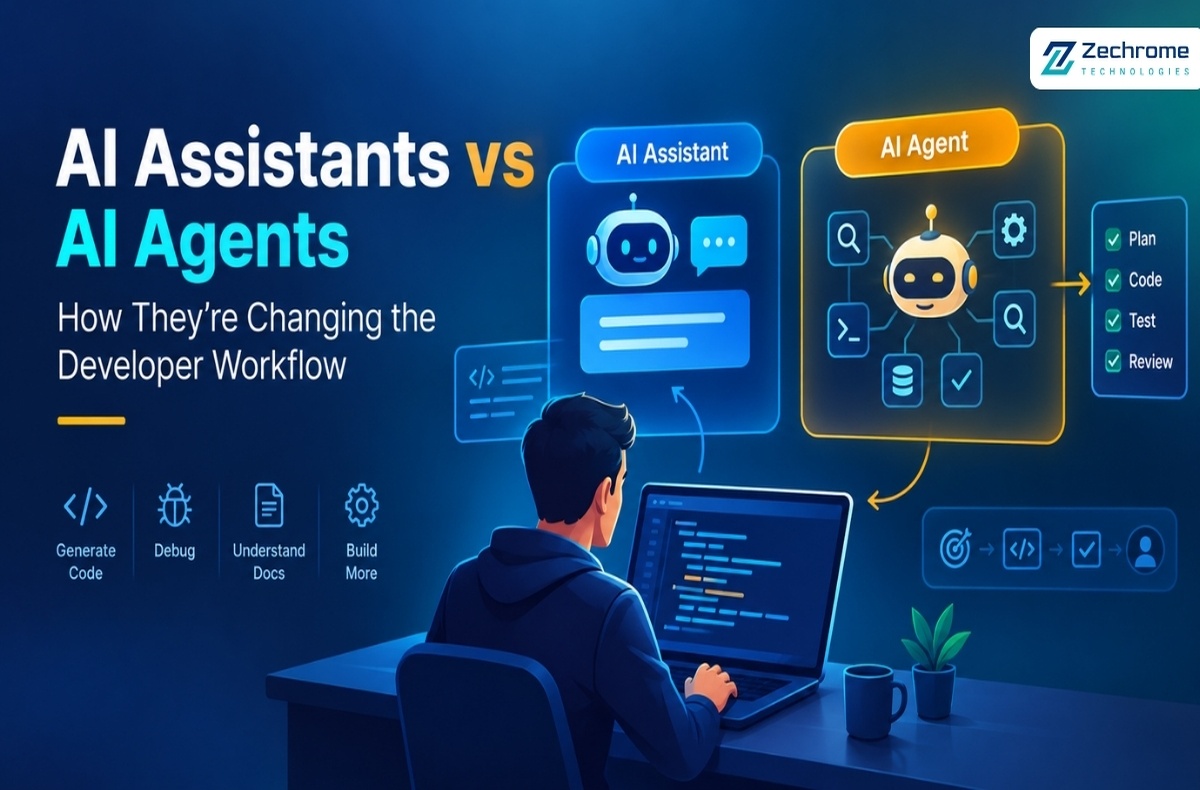

From writing code to handling multi-step tasks, AI is changing how developers build software. But what is the difference between an AI assistant and an AI agent?
AI has quickly become part of everyday software development.
Developers now use AI to generate code, explain errors, write tests, understand documentation, and improve existing applications. But AI is no longer limited to answering questions or suggesting code.
A new approach is gaining attention: AI agents.
So, what makes an AI assistant different from an AI agent? And when should developers use each one?
What Is an AI Assistant?
An AI assistant is designed to help developers with specific tasks.
For example, a developer might ask:
“Explain this React component.”
“Find the issue in this API request.”
“Write a TypeScript function for email validation.”
The AI provides a response, suggestion, or piece of code, while the developer decides what to do next.
AI assistants are useful for:
- Code generation
- Debugging
- Code explanation
- Documentation
- Writing unit tests
- Refactoring suggestions
- Learning new technologies
- SQL and API assistance
For small and focused tasks, an AI assistant can save significant development time without changing the overall development process.
What Is an AI Agent?
An AI agent works toward a broader goal instead of simply responding to individual questions.
For example, instead of asking an AI to write a single function, a developer could say:
“Investigate this bug, find the root cause, fix it, run the tests, and prepare the changes for review.”
This involves several steps.
Depending on its tools and permissions, an AI agent may inspect a repository, understand relevant files, modify code, run tests, analyze failures, and continue working until the task reaches a defined outcome.
A simplified workflow is:
Developer → Goal → Agent → Plan → Action → Testing → Review
This is the idea behind agentic software development.
AI Assistant vs AI Agent
The biggest difference is the level of autonomy.
An AI assistant generally responds to a developer’s instruction and provides suggestions.
An AI agent can take a goal, determine the steps needed, use available tools, and work through those steps with less continuous direction.
In simple terms:
- AI Assistant: “Here is how you can solve the problem.”
- AI Agent: “I’ll work through the problem and show you the result.”
Neither approach is automatically better. The right choice depends on the task.
A Simple Development Example
Imagine a developer is working on a Node.js application and discovers an error in a payment API.
With an AI assistant, the developer might provide the error message and relevant code and ask:
“Why is this API returning a 500 error?”
The assistant can identify possible causes and suggest a solution. The developer then makes the change and runs the tests.
With an AI agent, the developer could provide a broader instruction:
“Investigate the payment API error, identify the root cause, fix it, run the relevant tests, and summarize the changes.”
The agent may inspect the project, work with development tools, make changes, and test the result.
The developer’s role changes from directing every individual action to supervising the overall workflow.
When Should Developers Use AI Assistants?
AI assistants are a good choice when the task is focused and the developer wants to remain closely involved.
They are especially useful for:
- Understanding unfamiliar code
- Generating small code snippets
- Explaining error messages
- Learning programming concepts
- Creating documentation
- Getting refactoring suggestions
- Exploring different technical approaches
For these situations, an assistant is often faster and simpler than using an autonomous agent.
When Do AI Agents Make More Sense?
AI agents become more useful when a task involves multiple connected actions.
Common examples include:
- Repository analysis
- Bug investigation
- Automated testing
- Code review
- Documentation updates
- Dependency maintenance
- Pull request preparation
- Repetitive development workflows
For example, instead of manually checking a large repository for a particular problem, an agent could potentially inspect the relevant files, identify issues, run tests, and prepare suggested changes.
This can reduce repetitive work and allow developers to focus on higher-value engineering decisions.
More Autonomy Requires More Control
AI agents can be powerful, but greater autonomy also introduces additional responsibility.
Depending on the environment, an agent may have access to source code, repositories, terminals, APIs, databases, or development pipelines.
That makes security and permissions important.
Developers should consider:
- What information can the agent access?
- Which files can it modify?
- Can it execute commands?
- Does it have access to sensitive credentials?
- Which actions require human approval?
- How are its actions monitored?
A simple principle is useful:
Give an AI agent only the access it needs to complete its task.
AI should make development easier, not create unnecessary security or operational risks.
The Developer’s Role Is Changing
AI doesn’t eliminate the need for developers.
Instead, it is changing where developers spend their time.
As AI handles more repetitive tasks, developers can focus more on:
- Software architecture
- System design
- Business requirements
- Security
- Testing strategy
- Code review
- Performance
- Reliability
- Production decisions
This makes technical judgment increasingly important.
AI can generate code quickly, but developers still need to determine whether that code is correct, secure, maintainable, and appropriate for the application.
AI Assistants and AI Agents Can Work Together
Developers don’t have to choose only one approach.
A modern development workflow can combine both.
For example:
- Use an AI assistant to understand an unfamiliar service.
- Use an AI assistant to generate an initial test.
- Use an AI agent to investigate a larger repository issue.
- Use automated tools to run tests and security checks.
- Let the developer review and approve the final changes.
This creates a balanced workflow where AI handles repetitive or time-consuming tasks while developers remain responsible for important decisions.
What Should Developers Learn Next?
Developers don’t need to become AI researchers to benefit from these technologies.
Instead, it is useful to understand:
- AI coding tools
- Context and prompt management
- AI agent workflows
- Tool calling
- Automated testing
- AI security
- Permissions and access control
- Evaluating AI-generated code
The important skill is not simply asking AI to write code.
It is knowing how to use AI effectively and safely within the software development lifecycle.
AI assistants and AI agents represent two different approaches to AI-powered development.
An AI assistant helps developers complete specific tasks.
An AI agent can work toward a broader goal by handling multiple steps and using available tools.
For a small coding question, an AI assistant may be the right choice.
For a larger workflow involving investigation, coding, testing, and validation, an AI agent may provide more value.
The real question isn’t which one is better.
The better question is:
“How much AI involvement does this task actually need?”
The future of software development may not be about choosing between developers and AI.
It may be about combining developers, AI assistants, AI agents, and automation in a way that makes development faster, safer, and more effective.
The goal isn’t to give AI control over everything.
The goal is to give AI the right responsibility, with the right boundaries, at the right time.
